

WorkResearch toolingRequality for VS Code
Requality,
now in VS Code.
Requirements, their sources, and the tools to work with them. The original Requality core and Eclipse plug-in code, brought into the VS Code workbench.
v1.5.0 pre-release · MCP + VS Code
Research summary
- Problem
- Can Requality's requirements catalogue and traceability workbench be used from VS Code and from an agent without rewriting the original core?
- Result
- An unofficial port runs the ISP RAS Requality core and its Eclipse plug-in classes through a compatibility layer, with a VS Code workbench and a standalone MCP server. The reviewed source declares version 1.5.0, a pre-release.
- How to check it
- The repository documents Java server, renderer, VS Code integration and MCP session tests: npm run test:server, test:unit, test:integration and test:mcp. Release artifacts and source provide the reproducible entry points.
- Limits
- This is an unofficial port, not an ISP RAS release. Eclipse workbench behaviour is not identical; the README lists differences. Passing tests does not establish suitability for a regulated requirements process.
- Research question
- Which real requirements workflows still expose gaps between the Eclipse workbench, VS Code and the agent interface?
- 320
- original plug-in classes ported
- 6
- platform builds with Java included
- 21
- bundled Java runtime
- 1.95+
- VS Code version required
Agent workflow
Give the agent a specification. Review every change.
The Requality MCP server lets an agent import a specification, create requirements with source links, check coverage, review a new document version and revert a change. The demo below runs these operations against the real server: a stopping distance changes from 60 to 55 metres, a new statement needs a requirement, and a revert restores the original links.
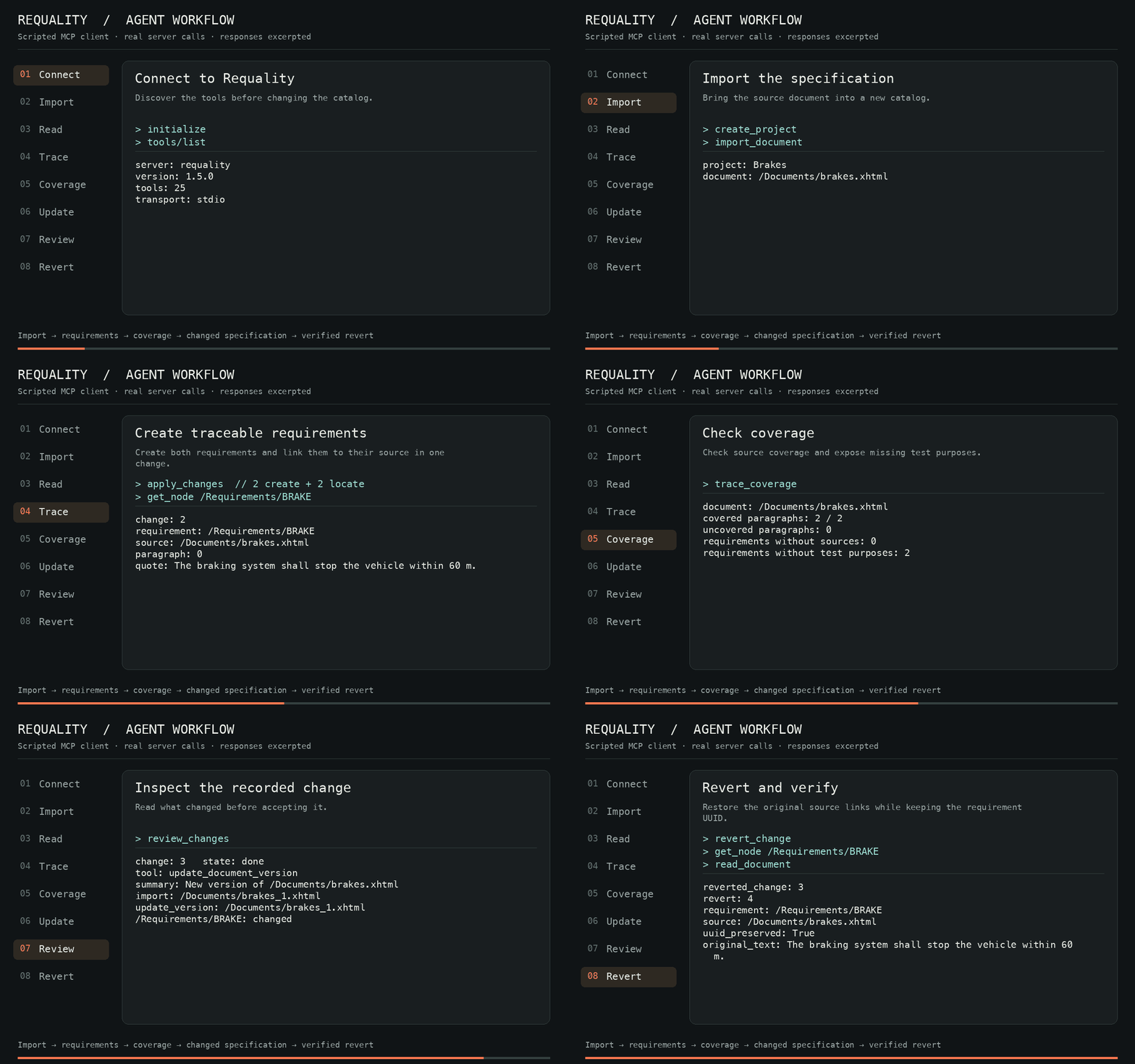
This is a reproducible tool workflow, not a recording of a Codex or Claude conversation. Read the complete request/response transcript or open the animation at full size. The MCP server is included in 1.5.0; install and connect it to your agent.
The workbench
A catalogue and the documents behind it.
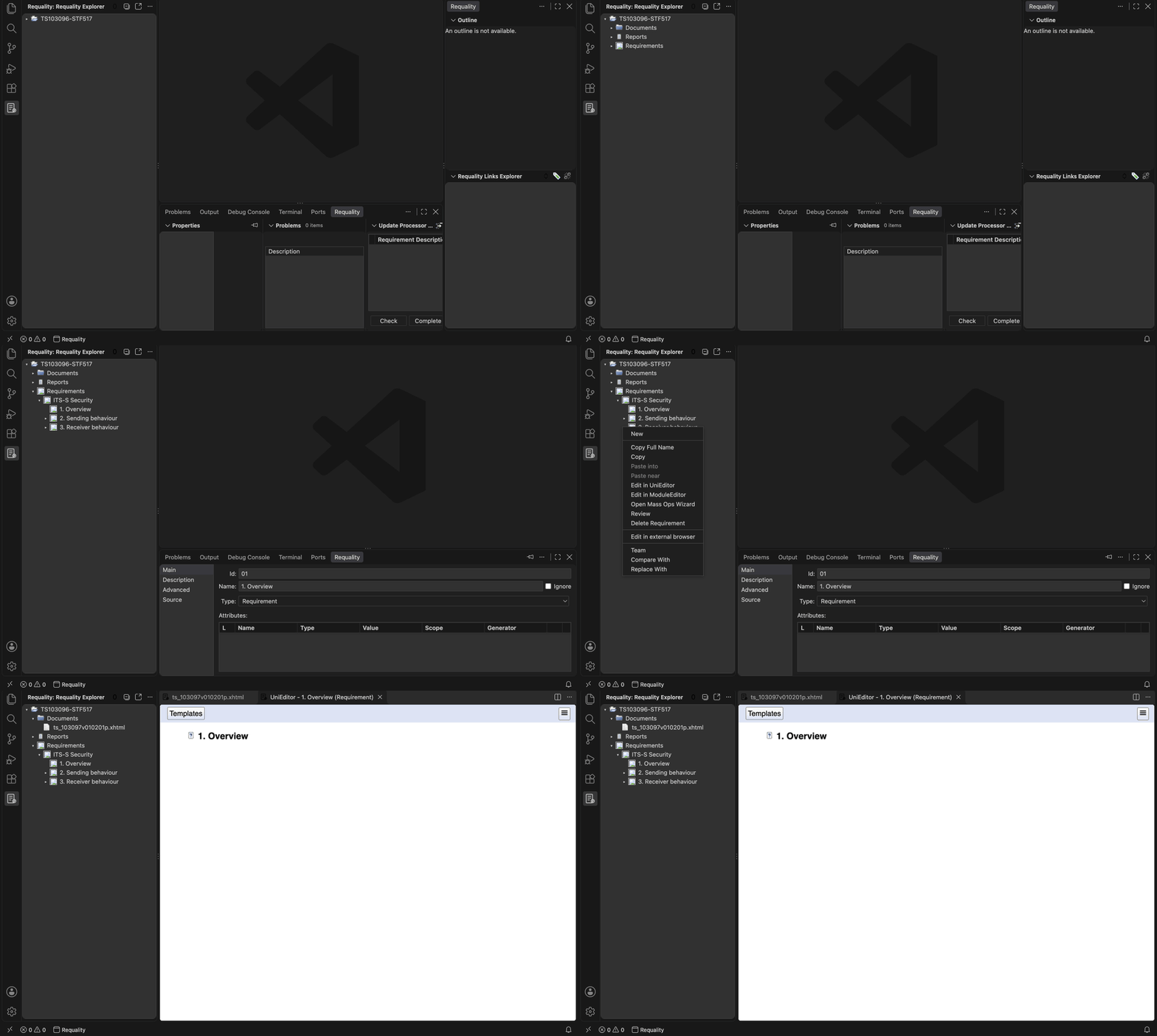
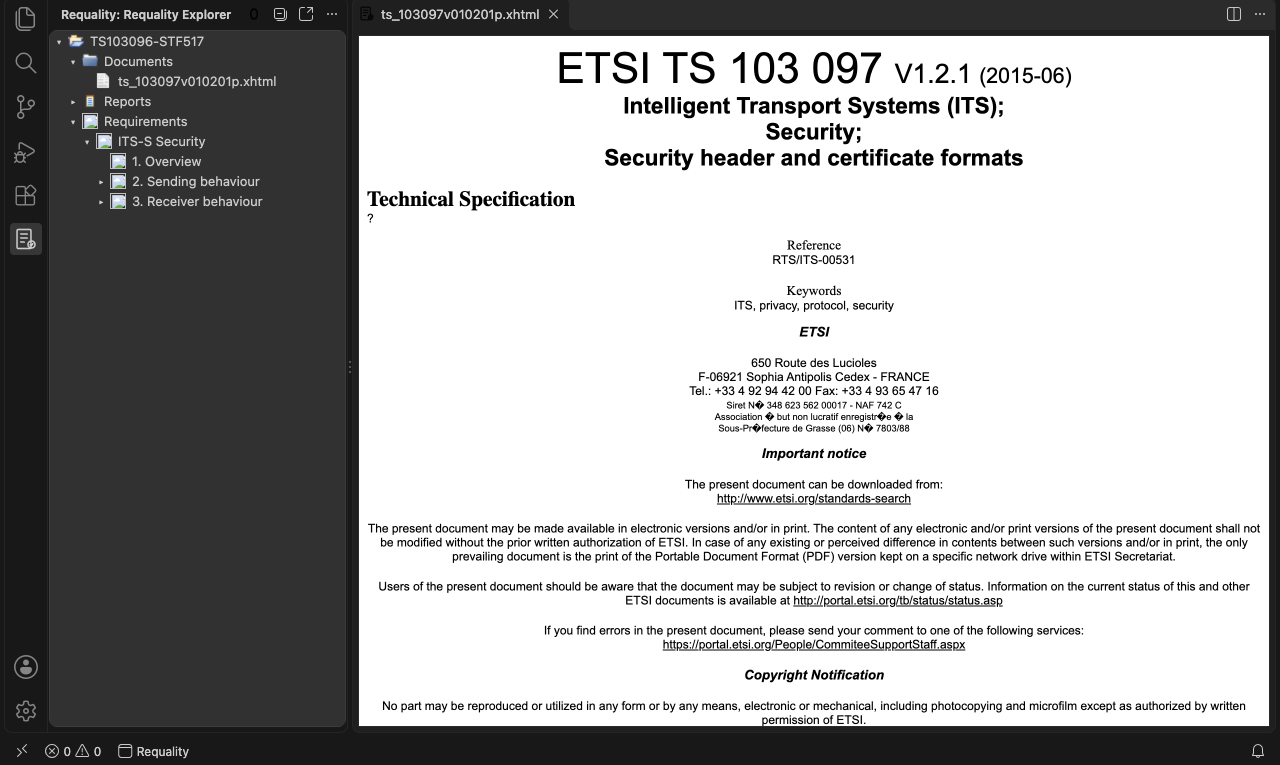
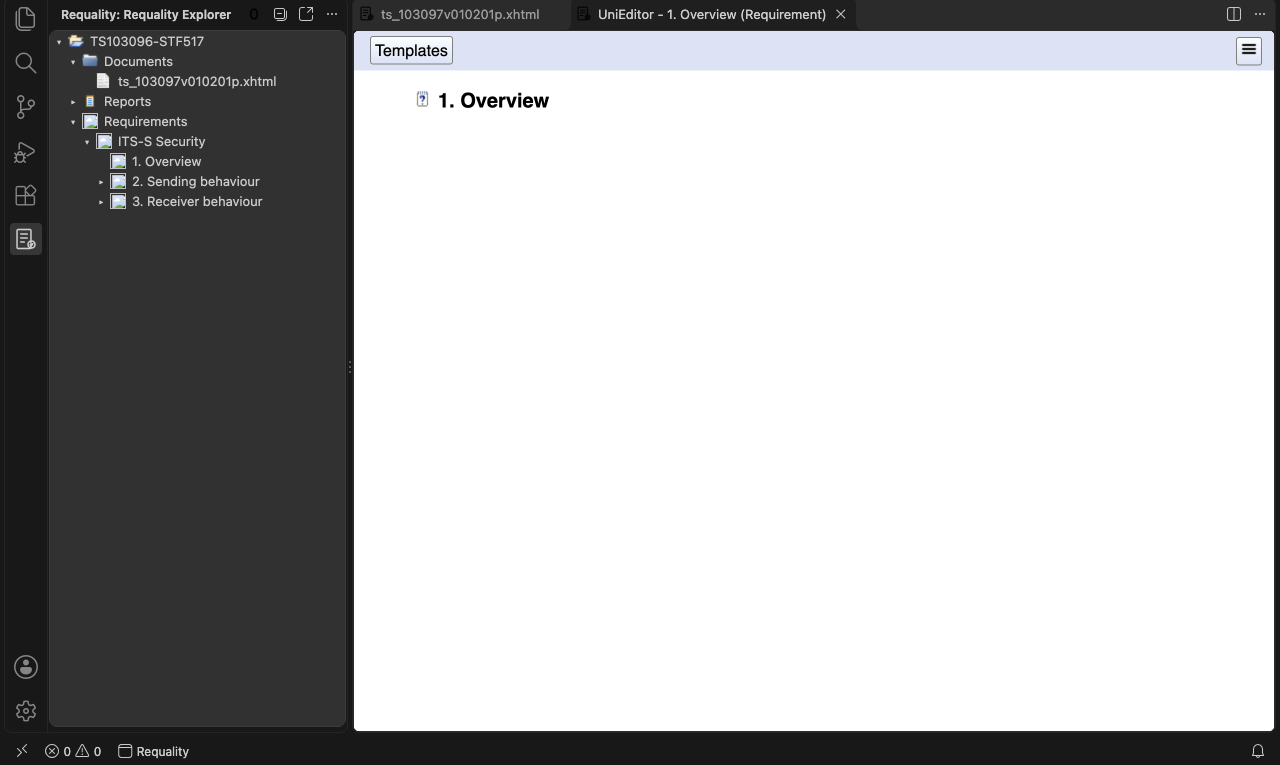
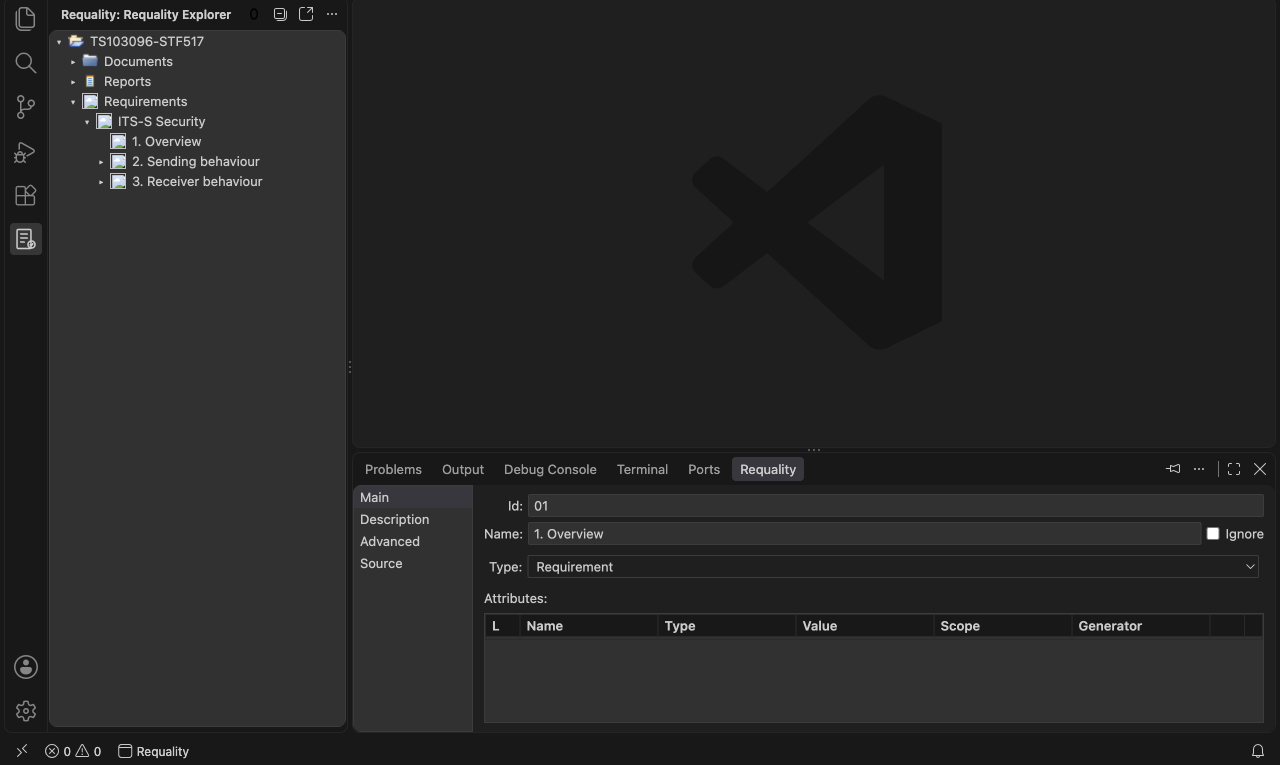
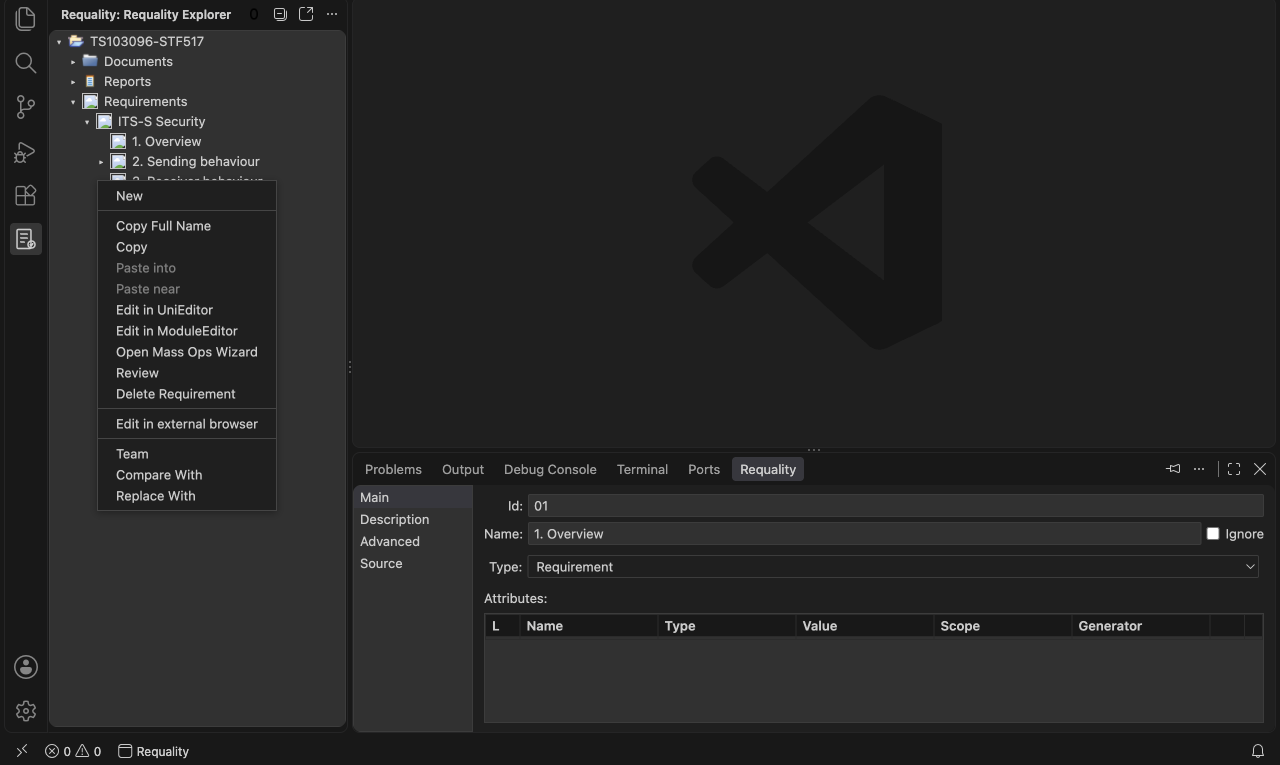
Browse requirements, edit their attributes, follow references, and work with the source documents. The port keeps Requality’s editors, views and commands together in VS Code.
Inside the port
Original code.
A different workbench.
The extension starts a Java server containing the Requality core and all 320 classes of the Eclipse plug-in. A compatibility layer implements the Eclipse APIs those classes use; VS Code webviews render their controls.
- 01 / Model
Requality core
Catalogues, storage, attributes, checkers, reports and ReqIF use the original Requality core.
- 02 / Workbench
Eclipse APIs
The compatibility layer supplies SWT, JFace, resources, navigator, commands, compare and the workbench APIs.
- 03 / Bridge
Java ↔ VS Code
JSON-RPC connects the server to the extension. The server reads
plugin.xmlfor commands, menus and contributions. - 04 / Interface
Views & editors
VS Code hosts the tree, property pages, dialogs and web editors. A native VS Code Explorer mode is available too.
The 320 plug-in classes match the mechanical port of their upstream sources; package names and imports change. The core has three documented bug fixes.
Install & start
The runtime comes with it.
The Windows, Linux and macOS packages include an Eclipse Temurin 21 Java runtime for x64 and ARM64. Install the extension, open a catalogue, and start working.
- 01
Install the extension.
Find Requality (Unofficial) in the Marketplace and open it in VS Code. Choose Switch to Pre-Release Version to install 1.5.0. VS Code 1.95 or later is required. You can also download a VSIX below and run Extensions: Install from VSIX….
Open Marketplace - 02
Open a catalogue.
Open a folder containing Requality catalogues. A catalogue is a folder with a
.projectfile of the Requality nature. - 03
Open the workbench.
Click the Requality icon in the activity bar. The extension starts its Java server and opens the views of the Requality perspective.
Prefer a VSIX?
Pre-release 1.5.0 ↗Download a package, then run Extensions: Install from VSIX… in the VS Code Command Palette.
| Platform | x64 | ARM64 |
|---|---|---|
| Windows | Download ↗ | Download ↗ |
| Linux | Download ↗ | Download ↗ |
| macOS | Download ↗ | Download ↗ |
Universal package ↗ for other platforms: provide Java 17 or later. LibreOffice is optional for importing and updating documents; ImageMagick is optional too.
Sources & checks
Requality is developed by ISP RAS. This unofficial port is made by Formalized from the Requality sources released under Apache-2.0. The extension code is MIT-licensed; the bundled Temurin runtime is GPLv2 with the Classpath Exception.
The repository includes Java server tests, TypeScript unit tests, and integration tests that run in VS Code. Its CI checks Linux and Windows, including VS Code 1.95, 1.106 and the current stable release.
Requality for VS Code · v1.5.0 · MIT / Apache-2.0